The Servo Health Check Methodology: How the Free Tool Estimates Your Maintenance Window
When we launched the free Servo Health Check, the most common question we got back wasn’t “does it work” — it was “how does it work.” Fair question. A maintenance decision tool is only useful if you can see its logic, not just trust its output. So here is exactly how the tool arrives at its answer, step by step.
What the tool actually does
Servo Health Check takes your motor’s brand and model, plus how you’ve used it (either total operating hours, or hours/day, operating days/week, and years in service), and compares that usage against manufacturer-published service-life data for that specific model family — where we have verified that data. It returns a risk band per component, not a single number for the whole motor.
Step 1 — Matching your model to a verified dataset
The tool only produces results for model families where we hold a verified reference — currently Yaskawa Sigma-7 (SGM7x) and Panasonic MINAS A6 (MSMF/MSMD/MSME and related driver codes). If your brand and model don’t match one of these verified families, the tool says so directly rather than guessing at a number. That’s a deliberate design choice: showing “data not currently available” is more honest than showing a plausible-looking but unverified figure.
Step 2 — Estimating your operating hours
If you know your total operating hours, the tool uses that figure directly — it’s the most accurate input you can give it. If you don’t, but you know roughly how many hours per day and days per week the motor runs, plus how many years it’s been in service, the tool estimates: hours/day × days/week × 52 weeks × years. If you only know the installation year — no hours estimate at all — the tool switches to calendar-only mode. In that mode, it will not fabricate a run-hours number for components measured in hours; it shows those as “usage hours not provided” and relies only on the calendar-based components (like annual insulation checks or the encoder battery’s 1-year cycle) for its read.
Step 3 — Calculating the usage ratio per component
For every component with a verified reference figure, the tool divides your estimated usage by that reference — for example, your estimated 12,000 operating hours against a verified 20,000-hour bearing reference gives a ratio of 0.60. Some components are reference-in-hours (bearing, oil seal), others are reference-in-years (insulation check, encoder battery) — the tool uses whichever unit the manufacturer’s own manual specifies for that part, never converting one into the other.
Step 4 — Translating the ratio into a risk band
Each component’s ratio maps to one of three bands, using fixed, documented thresholds:
| Band | Ratio | Meaning |
|---|---|---|
| Green | Below 0.50 | Well below the verified reference interval |
| Amber | 0.50 to below 1.00 | Approaching the verified reference interval |
| Red | 1.00 or above | At or beyond the verified reference interval |
The overall advisory shown to you is simply the worst band across all your motor’s components — if one component is Red and the rest are Green, the overall read is Red, because that’s the component that actually needs attention first.
What the tool deliberately does NOT do
- It does not predict failure. A Red band means you’re at or beyond the manufacturer’s reference interval for that part — not that the part will fail on a specific date.
- It does not estimate remaining useful life. There is no countdown; there is a comparison against a published reference.
- It does not invent a reference figure for a brand/model it hasn’t verified. “Not currently available” is the honest answer when we don’t have manufacturer-sourced data for your specific model.
- It does not fabricate run-hours in calendar-only mode. If you haven’t told it your usage hours, hours-based components simply aren’t scored against a fabricated number.
Where the reference numbers come from
Every reference figure in the tool traces to a specific, cited manufacturer document — currently the Yaskawa Sigma-7 Product Manual (SIEPS80000136D) and the Panasonic MINAS A6 Operating Instructions — with the source title, URL, and access date attached to every component row. We covered the actual numbers in our companion article on OEM-verified servo life intervals.
Servo Health Check methodology — direct answers
What does a Red result actually mean?
Your estimated usage has reached or passed the manufacturer’s published reference interval for that specific component. It’s a signal to schedule an inspection, not a failure alert.
Why does my model show “data not available”?
We only score models where we hold a manufacturer-verified reference. If your brand/model isn’t in that verified set yet, the tool tells you honestly rather than estimating.
Can I trust this instead of a physical inspection?
No — this is a maintenance advisory based on manufacturer reference data and your usage estimate. It’s a planning tool to help you prioritize, not a replacement for a physical inspection of the actual part.
Try it on your own motor
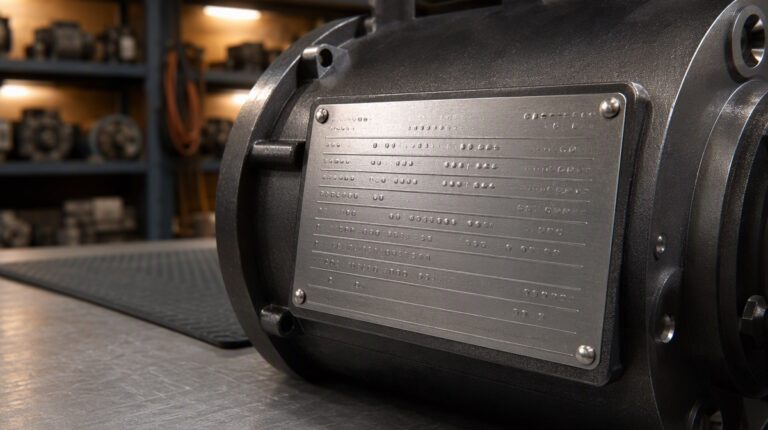
Run your brand, model, and usage through the free Servo Health Check tool. If your model isn’t in the verified dataset yet, or you’d like a human review of the result, send your nameplate details to Ask Star.